How it works
From your front door to their phone.
What you set up, what your guest gets and what comes back to you — in the order you meet it.
It starts with your address. Around it we build the guide to your area: real places from our checked catalogue, each with a photograph, a place on the map, a description and a practical tip, and your own welcome above them. One guide per language, with no dates, and it does not expire.
One code in the room — or on your card, for a tour — brings every guest to that guide in their own language, together with what only guests should see. Added to their home screen, it stays on their phone, signal or not. Below is every part of it, in the order you will meet it.
From your address to what comes back
-
Your place and its area guide
Your place or your tour gets one area guide per language: Dutch, English, German, French, Spanish or Flemish — how many depends on your plan. It is built from the shared, checked catalogue around your address, has no dates, does not expire and opens with your welcome. On your side, the dashboard is in Dutch or English.
-
One code in the room
Every place has one QR code. With your guide in one language it opens straight away; with more, your guest picks theirs first, and a language you add later appears on the same code by itself. You print it as a full page, a page for the welcome folder or a card for the door or the desk, with your logo on it — and with the wifi only if you tick it.
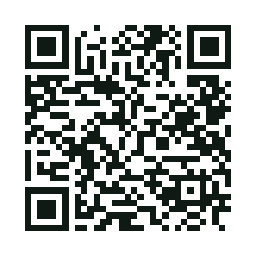
Scan it from your screen: this is the real code of our example hotel. Pick a language and you see the guide its guests get — wifi and door code included, both invented. On your phone? Open the code here -
What only your guests see
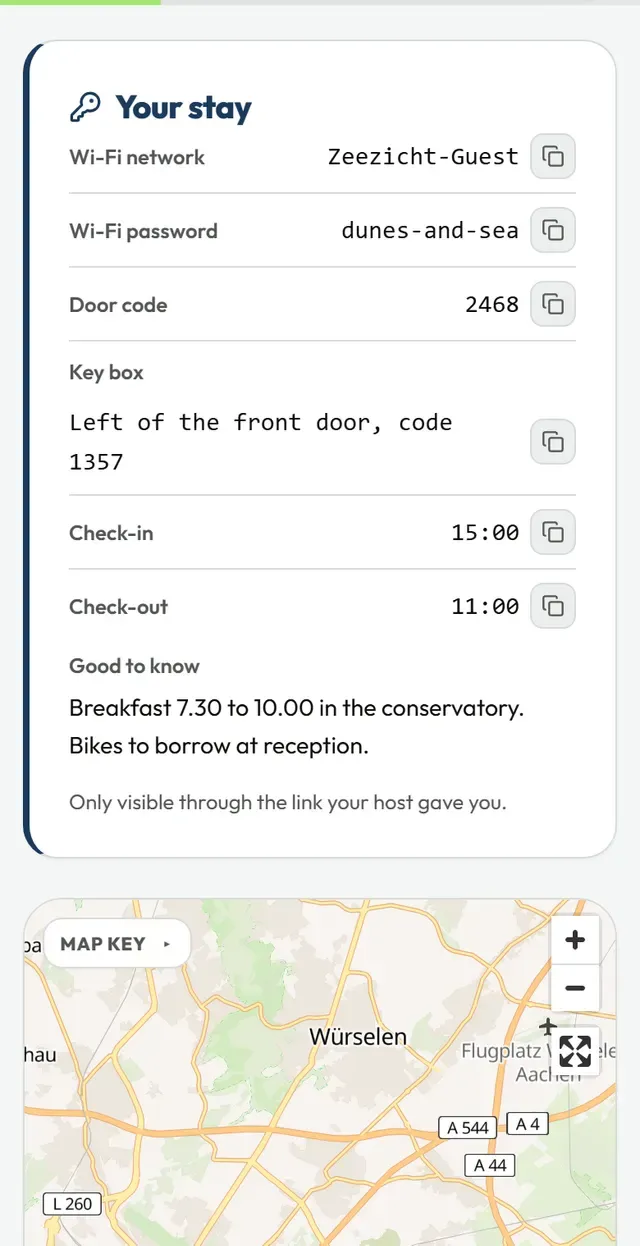
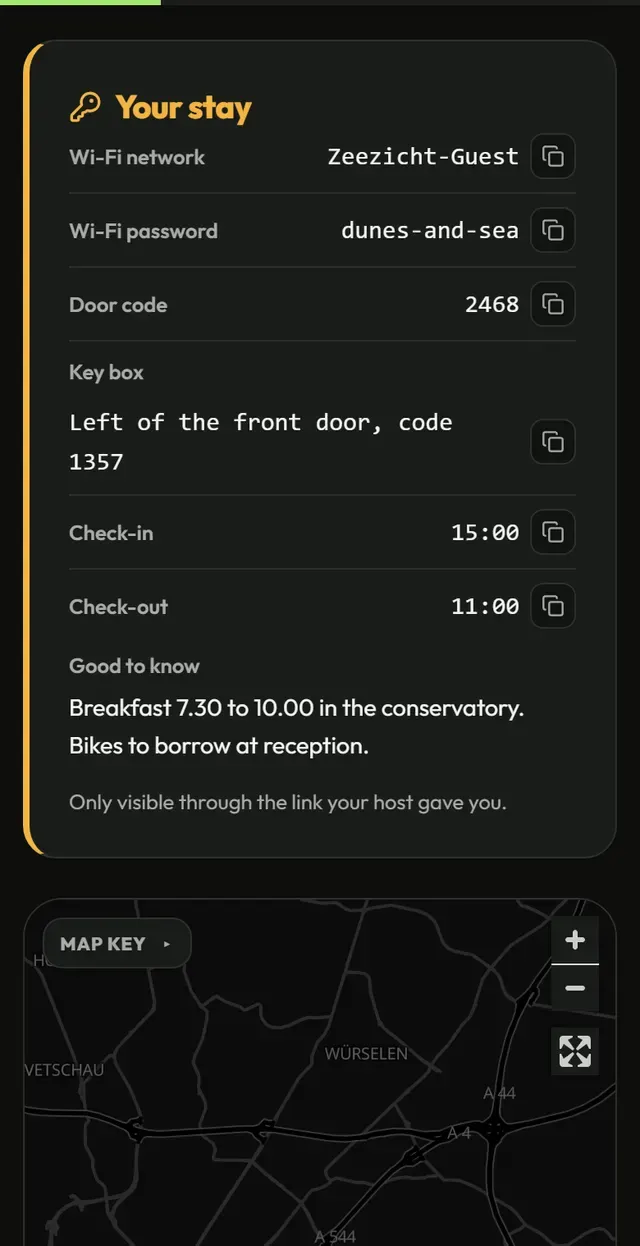
The code opens your guide’s in-house link, and only that link shows what is meant for your guests: the wifi, the door code, the key box, check-in and check-out times and a note of your own — for a tour, the meeting point. The ordinary share link and your public page never show any of it. When something changes you update it in the dashboard, and the printed code keeps working.
What the code in the room opens The guide on a guest's phone, with the wifi, the door code and whatever else the hotel tells its guests alone. -
Personalise for a booking
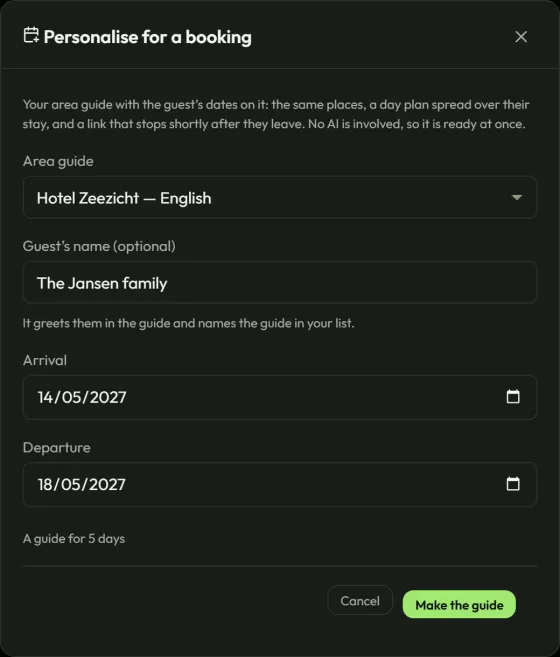
When a guest wants a plan for their own stay, one step turns your area guide into a guide for that booking: arrival, departure and, if you like, their name. The same places, spread over the days of the stay, on a link of its own that stops shortly after they leave. No AI is involved, so it is ready at once, and it never counts against the monthly allowance of guides made with AI.
-
Your favourites, with a line of your own
From the catalogue you pick the places you send guests to yourself. In the guide your guest installs they are marked “Our favourite”, with a line of your own if you want one; your public page shows the same favourites without that line. And a place you would not send anyone to, you take out of your guide — and can put back whenever you like.
-
Your public page
Every published place or tour gets a page of its own on vidiveni.app, about your area and in your words: your welcome, your favourites with — where we know it precisely — how far each one is from your door, and a button to the guide. Search engines are kept out by default. If you want to be found, you ask and we read the page first; it needs enough of your own words.
-
What your guest gets
Your guest opens the guide from the link or the code: no account, no app store, and it can go on their home screen like an app. Once opened it works without a signal; saved for offline use, photographs and map included. They save places as favourites, are asked once what they think of it — an area guide asks from their second day with it, a guide for one booking on its last day — and can report a problem with it. A place that has closed is reported to us, because the catalogue is shared.
-
What comes back to you
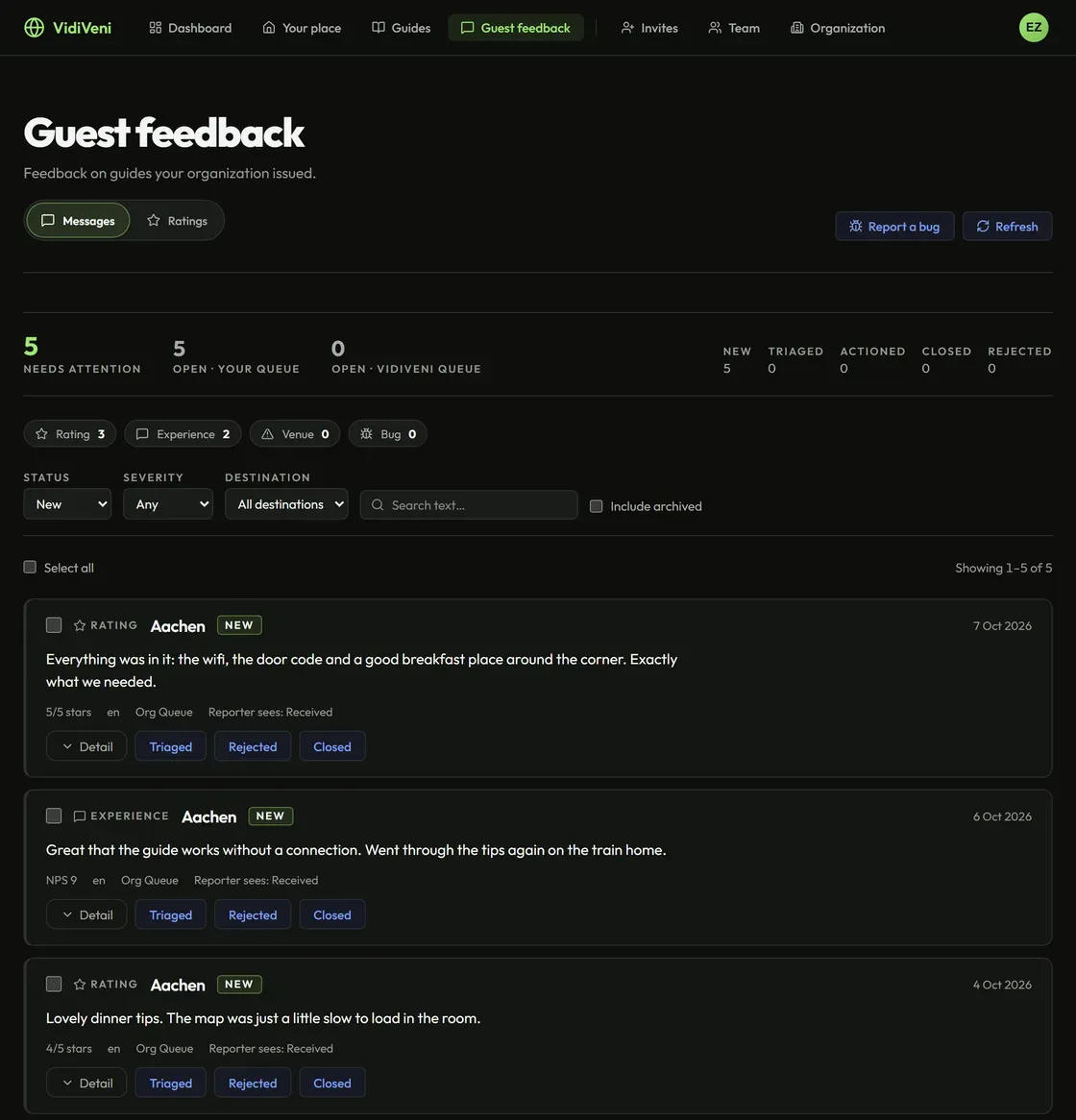
For each area guide you see how often it was opened in the last thirty days and when it was last opened, counted without knowing who. What guests write about their guide and how they rate it arrives together on one screen, and you can reply to them; that screen comes with the B&B and Hotel plans.
-
Your brand
Your two colours, a logo you upload yourself and the address guests reach you at. “Preview in a guide” shows you a real guide in your new look before you save anything. Once you save, your area guides follow, the one behind the code already in the room included, while a guide already issued for a booking keeps the look it was handed. On the Hotel plan the “Powered by VidiVeni” line can come off.
-
Your team, and fair use
On the Hotel plan each colleague works with a login of their own and a role: a member sees their own guides, a manager every guide and every guest report, and the owner the team and the branding as well. Mail about an account — the invitation, a new password — arrives in its recipient’s language, any of the six; for an invitation, you choose it. Guides made with AI — an area guide in each language, or a guide written around one party’s dates and interests — come out of one generous monthly allowance for your whole organization, and a guide you personalise for a booking never counts against it.
Getting started
Rather see it than read about it?
Request a demo and we build the area guide for your own address on the call. Or open the examples first, exactly as guests receive them.